选课指南
How to do the Course Selection
1.首先进入宁波大学内网:http://my.nbu.edu.cn/
1. First, please enter the website of NBU.
http://my.nbu.edu.cn/
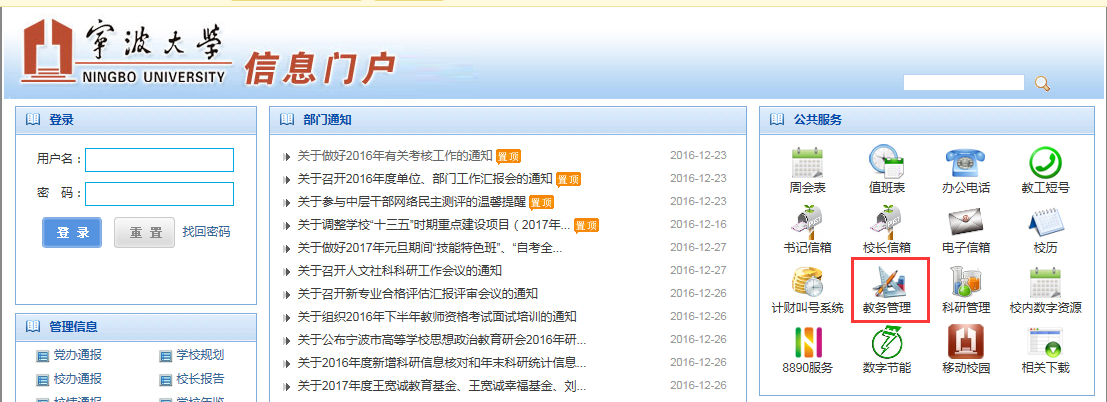
或者直接进入宁波大学教务管理系统网址:
http://jwgl.nbu.edu.cn:7777/nbdx/
Or you can enter the Academic Management System directly.
http://jwgl.nbu.edu.cn:7777/nbdx/

用户名:学号,密码:16级新生密码为12345678
User Name: Student ID, password: 12345678 for all 2016 intakes.
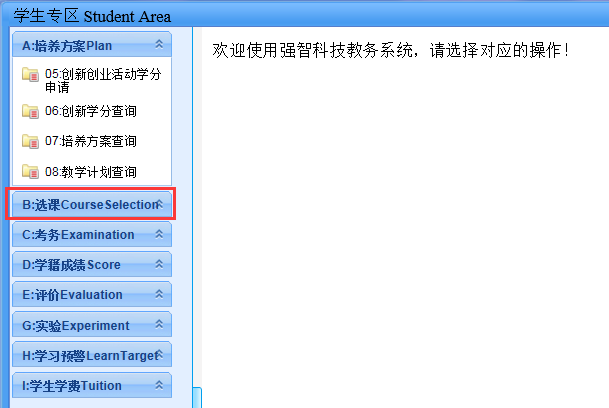
2.进入网站后,进入学生专区
2. Enter the website, select Student Area
(Close this page first)

Then you will see this page.

2.1点击进入B选课
2.1 Click B Elective Course
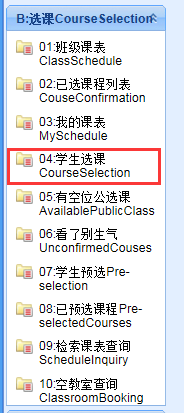
2.2 点击04.学生选课
2.2 Click 04. Course Selection
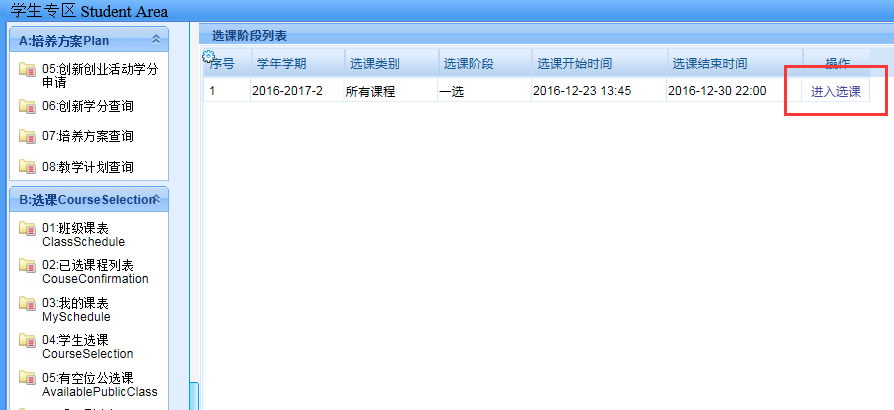
2.3 出现如下页面,点击”进入选课”
2.3 You can see this page. Please click “enter to do the selection”.
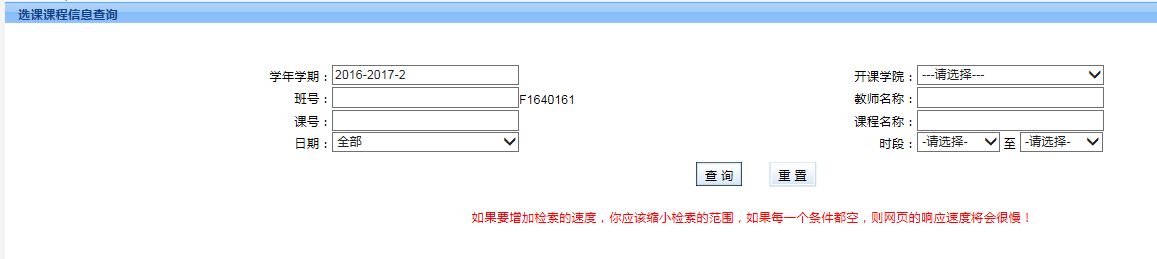
2.4 出现以下页面
2.4 In this page, you can inquire about the information of the courses.
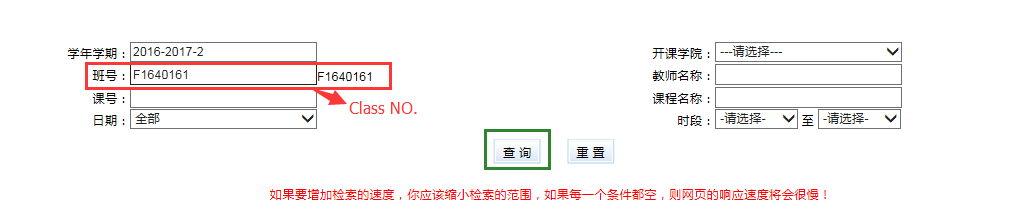
2.5 选班级所必修课,在班号这一栏中输入班号后点击“查询”
2.5 If you want to take the required course, you can input the Class No. Then click to “search”.
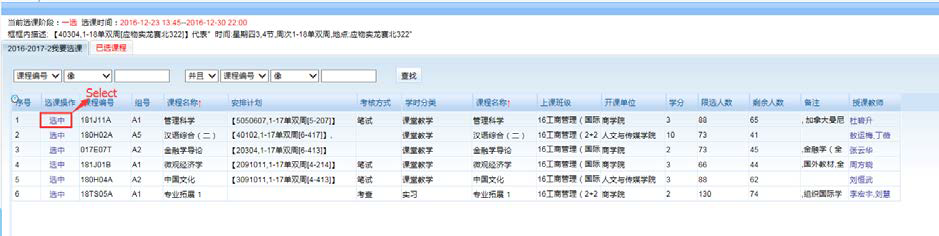
2.6出现以下页面,点击“选中”。
2.6 Now you will see this page, which contains the courses you have to take. And click “select”.
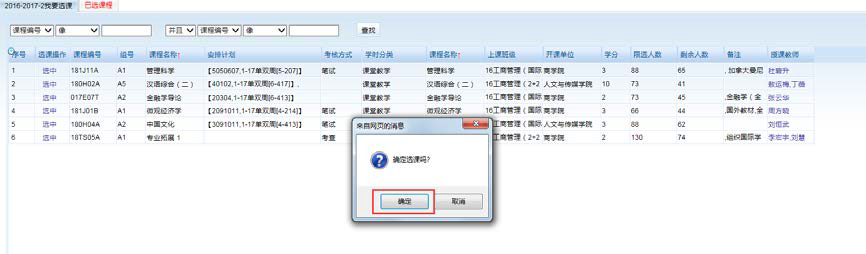
2.7出现以下对话栏,点击确定。一门课选好。
2.7 Now you can see this dialog box and click “confirm”.
2.8 选好全部课程后,进入“已选课程”核查是否选对课,并检查自己的课表和班课表是否一致,一致说明课选好了。
2.8 After select all the courses listed, you can check “selected courses”. Then click my schedule to make sure it’s the same as the class schedule.
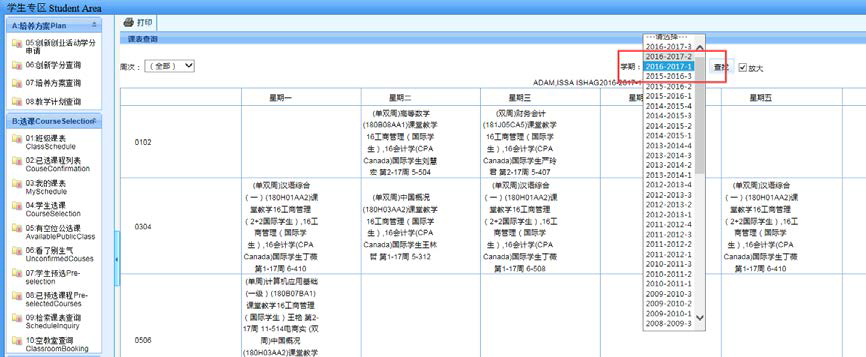
Please select the correct semester.
3. 重修课的选课方法
3. How to retake the course
各位同学一定在选课前查看自己的学习成绩
Remember to search the exam scores before electing the course.
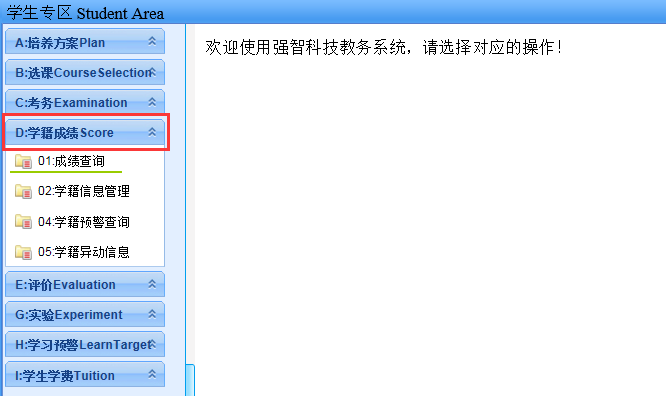
3.1点击D学籍成绩(Score),01.成绩查询。
3.1 Click D Score and then 01. Exam scores.
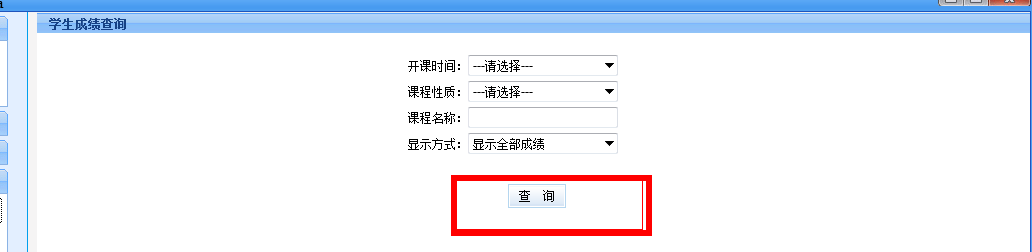
3.2 出现如下页面:
3.2 You will see this page:
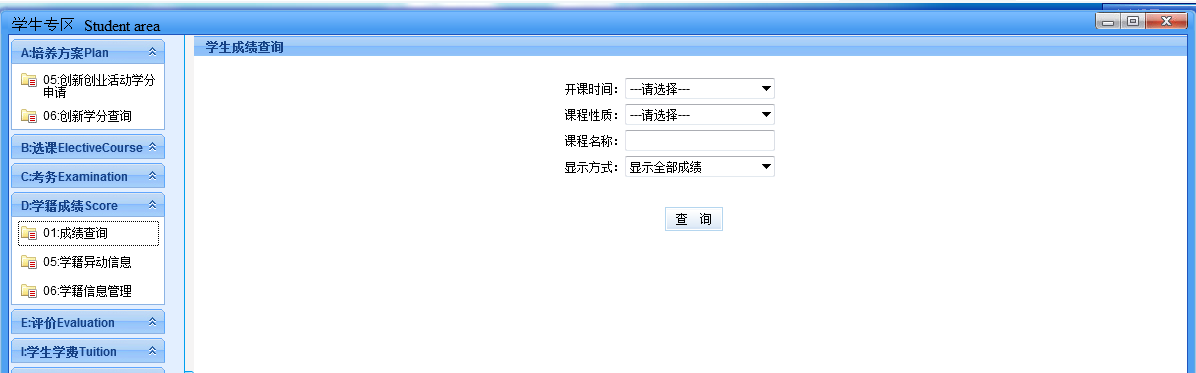
3.3点击查询
3.3 Click to inquire
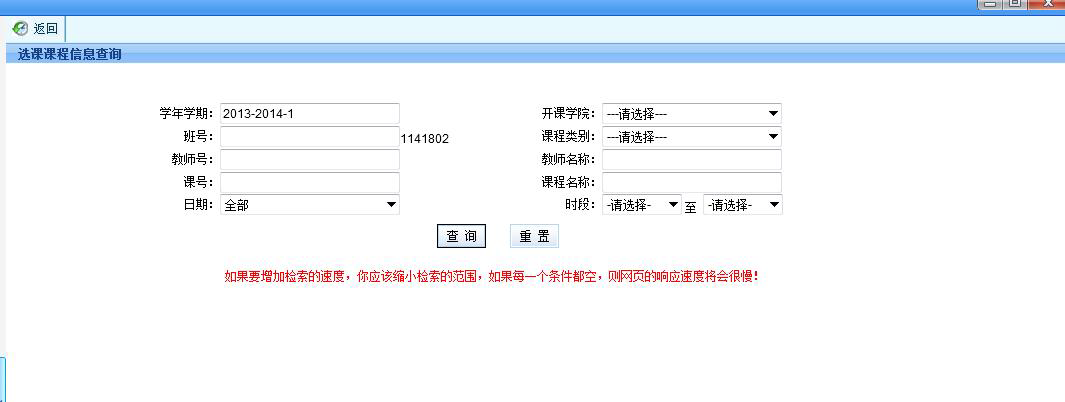
3.4查出不及格的成绩后回到选课页面
3.4 If you fail in the exam, go back to the course page.
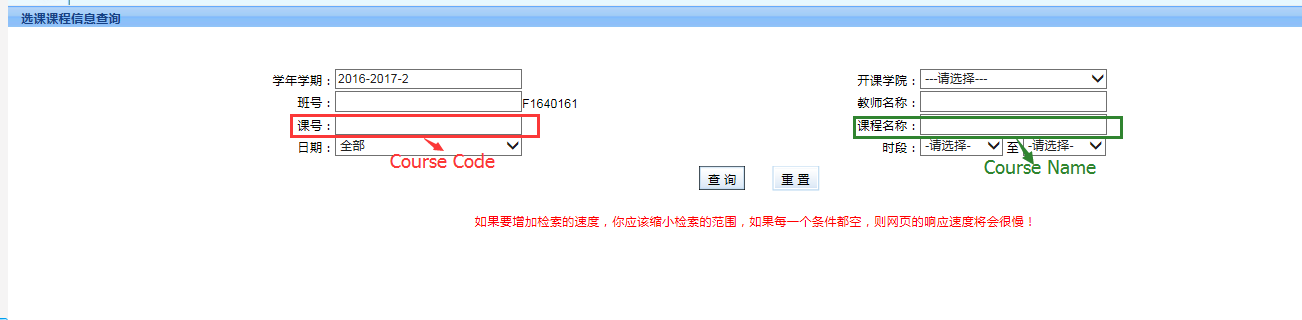
3.5输入课号或课程名称后查询
3.5 Input Course No. or Course Name in the blank, and then click to inquire about the course.
3.6 重复以上选课的操作。
3.6 If you want to retake other courses, repeat course selection.
3.7进入“已选课程”核查是否选好课
3.7 Enter the “selected course” to check whether you have selected the courses.
注:全校公选课的班号是000000
The Class No. of Public Elective Course is 000000.
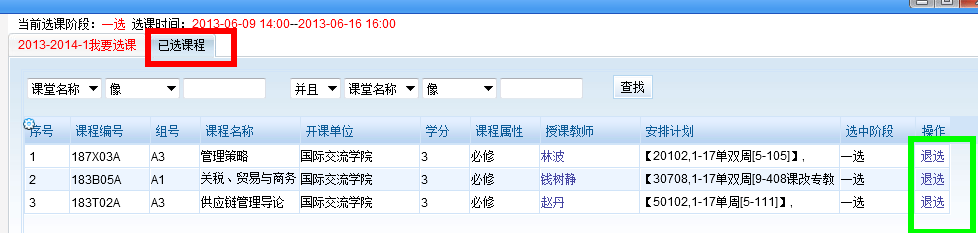
4. 退课
4. How to drop courses.
如果选好的课想退掉,进入“已选课程”页面退课
If you want to drop courses, enter into the “selected course”. And then click to Drop the Course.